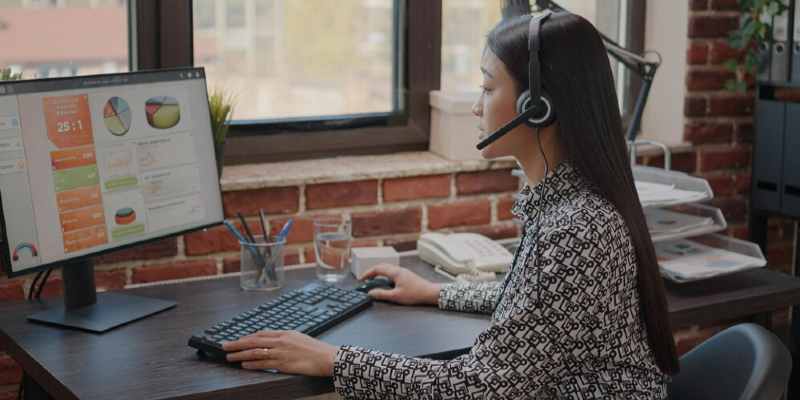
Businesses are constantly trying to acquire new customers and retain existing buyers. Generating leads and sales is necessary, which is the primary goal of every entrepreneur. It involves persuading and influencing buyers into purchasing their products and services. However, merely TV ads and emails may be unable to do the job. Customers need a human touch to feel connected to the brand. They also need to speak to someone when they need support or want to resolve any issues with products and services.
Thus, businesses offer customer support led by well-trained teams that answer questions, help solve problems, fill out forms, complete transactions, and listen to suggestions and feedback. Service-based businesses depend on this support and manage call centres to meet customer demand. Until now, the management had no control over these conversations and customer satisfaction. However, with ZoomDash, it has become possible to ensure robust client engagement. Here is how businesses can get started with ZoomDash. The step-by-step guide will help you implement the software with ease.

Entrepreneurs planning to implement real-time Zoom call monitoring software should first understand their pain points and needs. This will help them optimise the use of the user-friendly tool. They must decide what they wish to achieve by installing this tool in the systems of the support team agents. While some business owners may want to increase customer satisfaction levels, others may want to enhance the support team's productivity. Clarity of goals can help move in the right direction and make the team focus on the goals.
After the goals have been defined, the business owners must work on creating the infrastructure needed to use the Zoom live call monitoring dashboard. This involves creating a team of callers trained to handle business-related queries and effectively pitch the products for sale. Entrepreneurs must have a contact list of customers and leads that can be used to feed calling lists into the dashboard. The team members must be given access and trained in the security protocols to keep customer data safe.
Every business has unique needs and should be able to choose a service package that suits its budget and requirements. The size of the business is also an important factor to consider while making this choice. ZoomDash comes in different price packages for different businesses. Small businesses with limited employees can start with the budget-friendly option with 20 users, while large enterprises can opt for a customised plan with multiple dashboards and users. The free trial can help the business get accustomed to the tool and understand its relevance.

The support team can check the call details on the dashboard for incoming and outgoing calls. The managers can also track the call logs and identify ongoing live calls. The managers can add or remove team members from the dashboard and create call queues to route calls to the next agent if someone is unavailable or busy on another call. This helps manage all calls efficiently and distribute work effectively among the team members.
Businesses can suffer losses when customer calls are missed or hung up because of long waiting times. The Zoom live calls recording software helps identify missed, no-answer and abandoned calls. Thus, managers can create the right time slots for outbound calls and avoid repeating calls to the same customers. They can also use the SMS feature of the software to send text messages or leave voicemails to busy clients to avoid nagging them. It showcases empathy and makes customers value the brand.
The most empowering feature of ZoomDash is the ability to record all conversations to listen to and analyse customer behaviour. It helps to identify the target audience's pain points and find ways of serving them better. Managers can use the recorded interactions to determine employees' performance and communication and problem-solving skills. They can use the records to train other team members by making them listen to interactions that were handled professionally and helped resolve conflicts. Thus, the business can improve its customer service and productivity.

Call centre management can be challenging when the managers do not have any tools to supervise the team members. With the help of ZoomDash, they can check the status of every member and get data on the calls they handle during the day. They can prepare rosters based on the average time to make sales pitches and answer customer queries. Managers can also route important calls from loyal customers to expert team members for maximum satisfaction. They can even listen to ongoing conversations and provide feedback later to employees to make improvements or appease disgruntled clients
ZoomDash is a fantastic tool for businesses as it can help cater to customers’ needs perfectly. It allows management to track, record, and analyse all outbound and inbound calls for superior customer service and support.


ZoomDash is the perfect team management tool, helping you put your business on top with superior customer satisfaction. Boost your sales performance by monitoring live Zoom calls and utilising call analytics for team enhancement.


